Logo
Sign in
  1. Alcatel
  2. Phones
  3. Android Mobile Phone FAQs

Articles in this section

  • How can I set up my device when I turn it on for the first time?
  • How can I change the language of my device?
  • How can I check the IMEI number of my device?
  • How can I check my device’s system version, model number, Android version, Baseband version, and Kernel version?
  • How can I change the permission for my apps on my device?
  • How can I take a screenshot with my device?
  • How do I interact with status bar?
  • How do I use and edit quick settings on my device?
  • How do I add new apps or widgets on to the home screen of my device?
  • How do I change the wallpaper of my device?
See more

Where can I check my photos on my device?

Avatar
Web Team
  • July 05, 2017 23:18
  • Updated
Follow

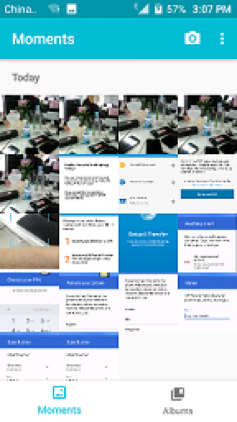
You can check your photos by visiting the Gallery app.

Photos can be sorted by moments or albums.

gallery.png

  • Facebook
  • Twitter
  • LinkedIn
Was this article helpful?
0 out of 0 found this helpful
Return to top

Related articles

  • How can I connect my phone to a PC via USB cable?

Comments

0 comments

Please sign in to leave a comment.
Logo