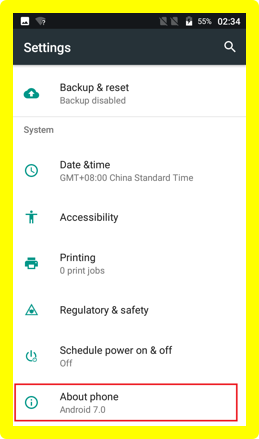
How can I check my device’s system version, model number, Android version, Baseband version, and Kernel version? Web Team July 05, 2017 23:07 Updated Follow You can check the information by accessing into menu -> “Settings” -> “About phone”. Related articles Go Flip V - Software Upgrade/Repair Assistant Tool (SURA) How can I check the IMEI number of my device? Keeping your Alcatel phone clean Alcatel GO FLIP™ 3 - T-Mobile - User Manual (English) How can I change the default ringtone and volume for incoming calls? Comments 0 comments Please sign in to leave a comment.

Comments
0 comments
Please sign in to leave a comment.